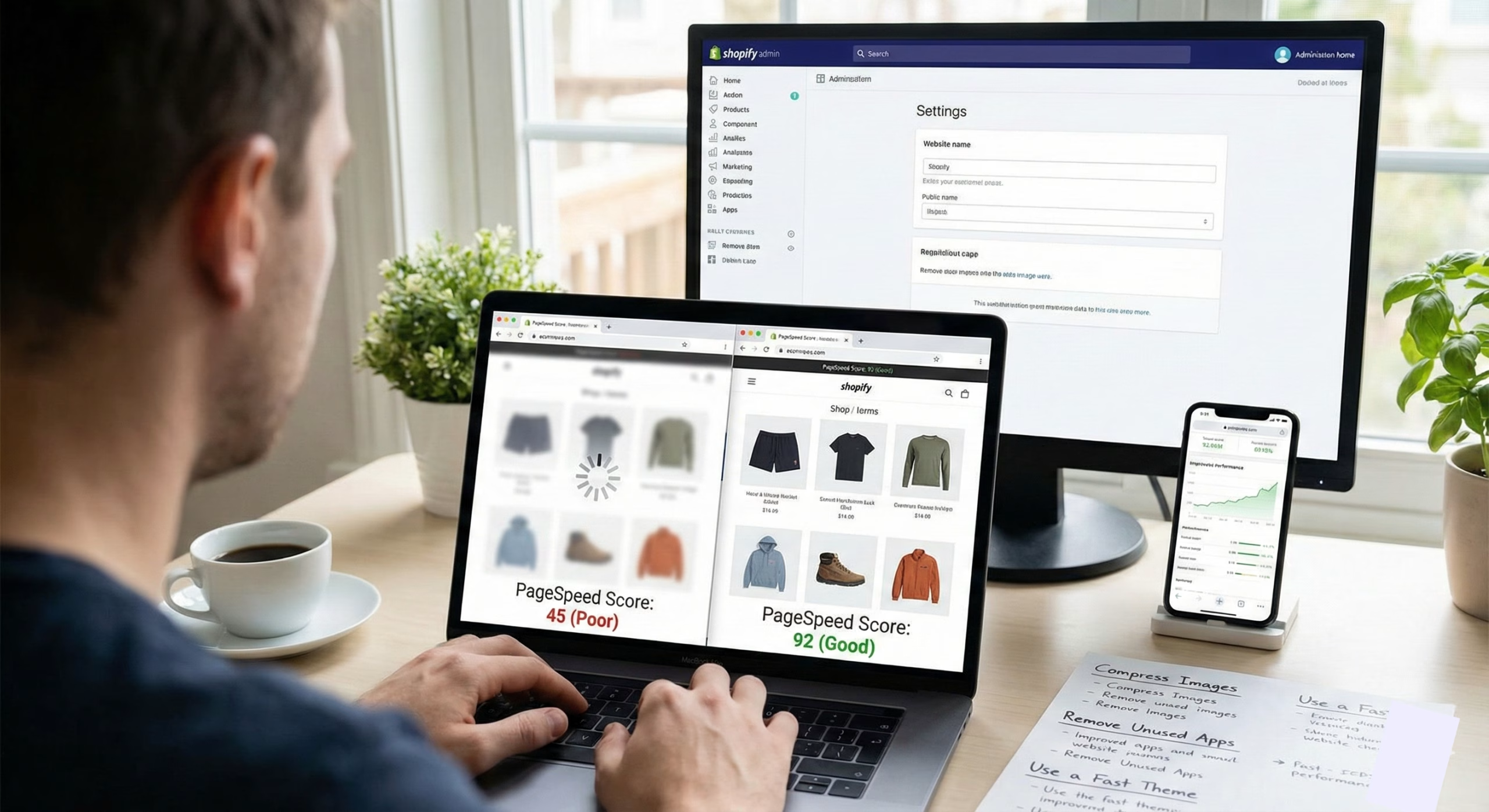
You might think that a slow Shopify website is just a minor inconvenience. But it’s far more than that. Not only does it impact sales and undermine brand loyalty, but it also drives potential customers to faster alternatives.
Modern-day shoppers want to browse instantly. Studies indicate that 47 percent of consumers require a web page to load in less than 2 seconds, and any additional second of waiting time can cut conversion by up to 20 percent.
Speed is not optional for the owners of Shopify stores. It’s a revenue driver. It’s a trust builder. And most importantly, it is among the best ranking factors of Shopify SEO.
When you need to speed up Shopify websites without sacrificing your theme, design, or store functions, this guide is the breakdown of all you need to know, including easy-to-follow steps and practical tips.
Let’s dive in.
Why Optimizing Shopify Speed Matters More than Ever
Speed significantly impacts site performance and interaction. Here’s what a fast Shopify website can do for your business:
Boosts Conversions
Fast-loading pages assist customers to check out quickly. According to offices and agencies, a 0.5-seconds increase in load time would lead to 8-12% increases in conversions.
Reduces Bounce Rate
Slow websites cannot capture attention. The results of a Google Web.dev study indicated a steep rise in the bounce rates after 3 seconds.
Improves SEO Ranking
Google puts speed as one of its top ranking aspects. The faster pages are indexed better and occupy higher positions across the product pages , category pages, and blogs.
Enhances Mobile Shopping Experience
Speed is the central user experience, since more than 79 percent of traffic on Shopify is on mobile devices.
To say the least, one of the best ROI decisions you can make for your online store is to optimize your Shopify website.
How to Optimize Shopify Website Speed: 12 Proven Strategies

The following are the best methods of accelerating a Shopify store – both simple and professional:
1. Compress and Optimize Every Picture
The worst culprit to slow load times is typically images. Shopify stores can use numerous banner images, product photographs, and lifestyle pictures.
What to do:
- Compress images with lossless compression.
- Use JPG in lifestyle photos, PNG for transparent background, WebP for optimal performance.
- Never have giant hero banners.
- Always keep images less than 200KB.
Pro Tip: Shopify sites with optimized images may decrease the weight of a page by 30-40 points, which immediately increases the speed.
2. Remove Unnecessary Shopify Apps
Each installed application injects code and scripts. The code can slow down the store even after it has been disabled.
What to do:
- Uninstall unnecessary apps.
- Use lightweight apps instead of heavy apps.
- Bring together various applications into one, multi-purpose application.
- Request a programmer to delete the leftover code.
This alone will reduce load time by 25 to 40 percent.
3. Avoid Heavy Shopify Themes
Not every theme is speed-optimized. Some of them have heavy animations, enormous sliders, and bloated code.
Select the fast themes
- Dawn
- Impulse
- Streamline
- Debut (legacy but still lightweight)
Tip: Use minimum designs. They load quickly and convert better.
4. Use Lazy Loading for Images and Videos
Lazy loading is an image optimization technique that involves delayed loading. It ensures images load only when users scroll to them. This dramatically reduces the initial load time.
Most of the time, consumers will instantly begin to download all of the images or any page they access. The lazy loading feature prevents them from downloading images until they are needed.
It offers faster above-the-fold loading, gives better mobile performance, and reduces data usage. The good thing is, most modern Shopify themes already support lazy loading, but its enabling should be confirmed.
5. Minify CSS, JavaScript & HTML
Minification eliminates redundant characters such as spaces and line breaks, from your site’s code.
Impact:
- Reduces file size
- Improves render speed
- Improves total Core Web Vitals
Automatically minifying the code can be done by installing Shopify apps, assuming that you are not a developer.
6. Do Not Use Autoplay Sliders and Carousels
They are attractive yet are a great nuisance to stores. Research indicates that sliders can decrease conversions by 16 percent, as well as demand heavy scripts.
Replace sliders with:
- Static hero images
- Clean product banners
- Call-to-action sections
You will immediately reduce the time of loading pages.
7. Optimize Your Shopify Homepage
Your homepage is usually the heaviest page on your site. Simplifying it creates massive speed improvements.
Try this:
- Reduce product collections on the homepage
- Limit homepage videos
- Remove unnecessary pop-ups
- Keep the CTA and hero banner minimal
- Limit sections to essential ones only
A lightweight homepage improves every user flow.
8. Use Shopify’s Built-In CDN
Shopify uses a global content delivery network (CDN) that delivers your assets quickly, regardless of location.
Your role:
Just ensure your theme is CDN-friendly and avoid embedding files from external sources.
9. Use WebP Format Instead of PNG/JPG
WebP images can load 35% faster compared to PNG/JPG without losing quality. Shopify now supports WebP natively and uses it everywhere possible.
10. Limit Third-Party Scripts
External scripts slow your Shopify store, including:
- Tracking scripts
- Chat widgets
- Heatmaps
- External fonts
- Social media plugins
Fixes:
- Use Shopify’s native analytics instead of multiple tracking tools
- Host fonts locally
- Use only critical tracking scripts
- Remove outdated pixels
11. Upgrade to Shopify’s Latest Theme Version
Theme updates include speed patches, better coding, and better Core Web Vitals support.
Check for updates:
Go to Online Store → Themes → Update
This alone can boost speed by 10–20 percent.
12. Use AMP (Accelerated Mobile Pages) for Blogs
If your Shopify store uses content marketing, AMP pages can load 4x faster. This significantly boosts mobile SEO and rankings.
How to Test Your Shopify Website Speed
Testing your site speed is crucial. To do this, start by using multiple speed-checking tools. This includes Google PageSpeed Insights, GTmetrix, Pingdom, and your built-in Shopify Speed Score.
These platforms give you a well-rounded view of how your store loads and responds on different devices. As a general benchmark, aim for scores above 85 on mobile and 95 on desktop.
But even if your metrics don’t hit those exact numbers, the most important goal is to keep your site loading in under three seconds for a smooth, conversion-friendly user experience.
The Biggest Shopify Speed Killers (Avoid These!)
If you’re serious about Shopify optimization, avoid:
- Oversized images
- Too many apps
- Bloated themes
- External JS widgets
- Pop-up overload
- Multiple conflicting tracking pixels
- Video backgrounds
Each of these slows down your store and directly impacts conversions.
Why Speed Matters for Shopify SEO
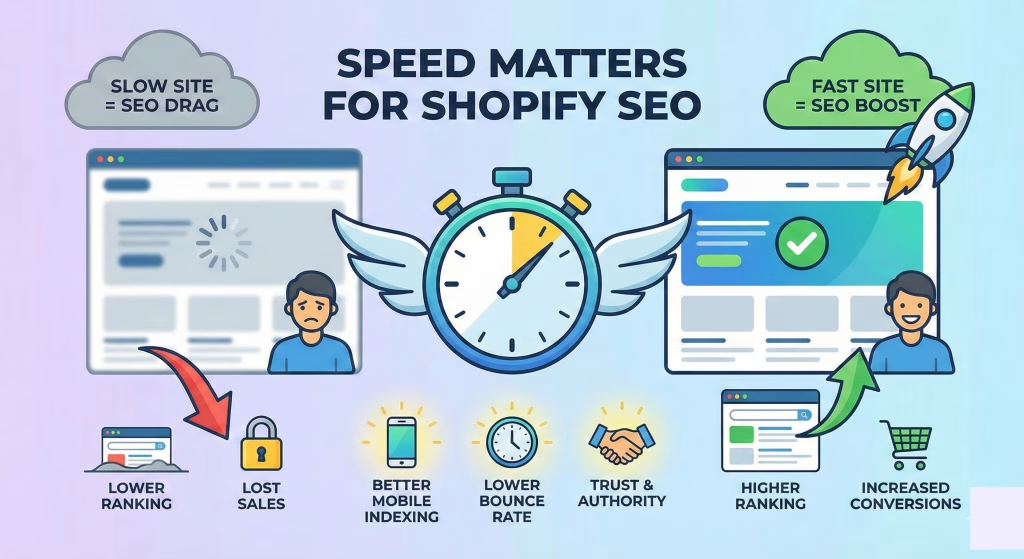
Google ranks faster websites higher. When you speed up Shopify, you also:
- Improve crawlability
- Boost product page indexing
- Reduce bounce rate
- Increase average session duration
- Improve conversion rate signals
A faster website simply performs better at every level.
Wrapping it Up
Optimizing site speed must be an ongoing process. This becomes even more important when your store grows, new apps get added, or your theme evolves.
A Shopify website with fast speed improves SEO, conversions, user experience, brand authority, and revenue. Any Shopify store owner must make this technical upgrade to reap its benefits.
Speed Up Your Shopify Store
Want a faster, smoother, and conversion-ready Shopify store?
Straight4Ward Consulting & Marketing specializes in Shopify speed optimization, technical SEO, and performance improvements that directly boost revenue.
Get your Shopify speed audit today and unlock a faster, higher-converting store. Let’s optimize your performance and your profits.